:quality(80):format(webp))
:quality(80):format(webp))

This is how you stand out: the PowerPoint application
The classic application is often still standard – cover letter/letter of motivation, CV, certificates and possibly your portfolio. Especially in creative professions, it would be great if you presented your skills with your application and stood out. So how about creating the application using PowerPoint next time?
Below we will give you a few tips on how you can stand out from other applicants!
PS: We are currently looking for graphic designers! After reading this article, you are welcome to submit your applicationhttps://i‑pointing.com/de/karriere/upload. We look forward to seeing you!
That's why PowerPoint is an ideal tool for applications
If you research tips for applications on the Internet, you will find countless ways to improve your documents - but most of the time they only talk about the classic format. A standard application isn't a bad thing either! It's just not really that special and especially in the world of designers and graphic artists you can really score points with a creative self-presentation. Your potential employer will immediately get an impression of your creativity.
One thing is clear: anyone who chooses a different form of application has made an effort to stand out. This can be a plus point. The meaningfulness of PowerPoint presentations is often underestimated, but it is an important support in everyday life for so many companies - why not also in an application?
The presentation program enables great presentations of your own career, strengths and interests.
It is important to note that the focus of a PowerPoint application is primarily on the design options.
The formal framework for a cover page or the tabular CV should of course still be observed! In addition, the application documents must always be complete, otherwise you will be sorted out immediately. It is therefore better to double check whether all the required documents are included in the application.
PowerPoint Create an application: From the cover page to the typography
The cover page
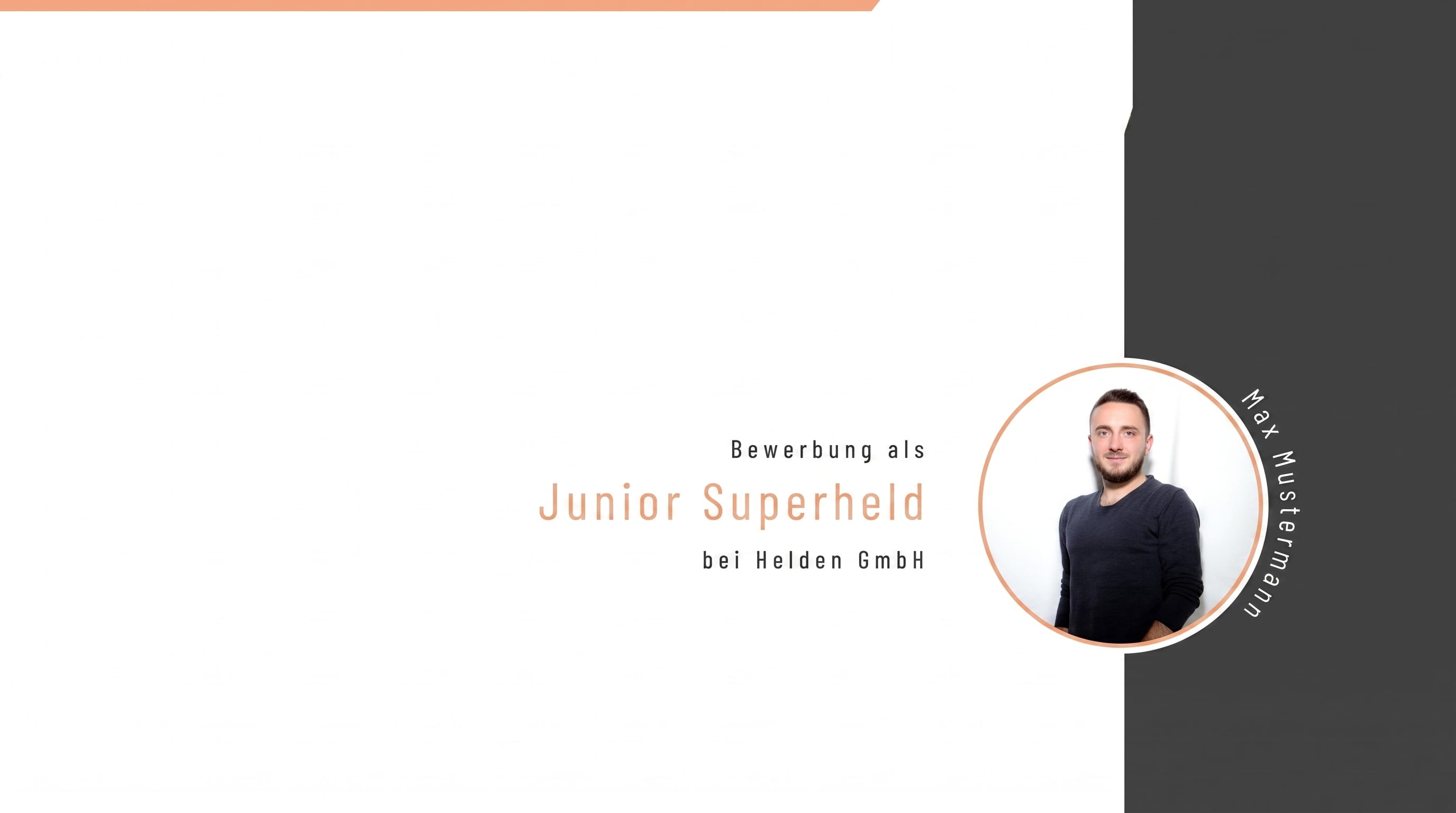
While the cover sheet is optional for classic applications, the design of a title slide is recommended for an application with PowerPoint and should definitely be focused on.
Basically, your personal information should be on the title slide: name, date of birth, address, telephone number and email address. Since the visual aspect is particularly important in this application, a professional application photo makes sense.
Don't forget to write the name of the position you are applying for on the cover page.
The cover letter
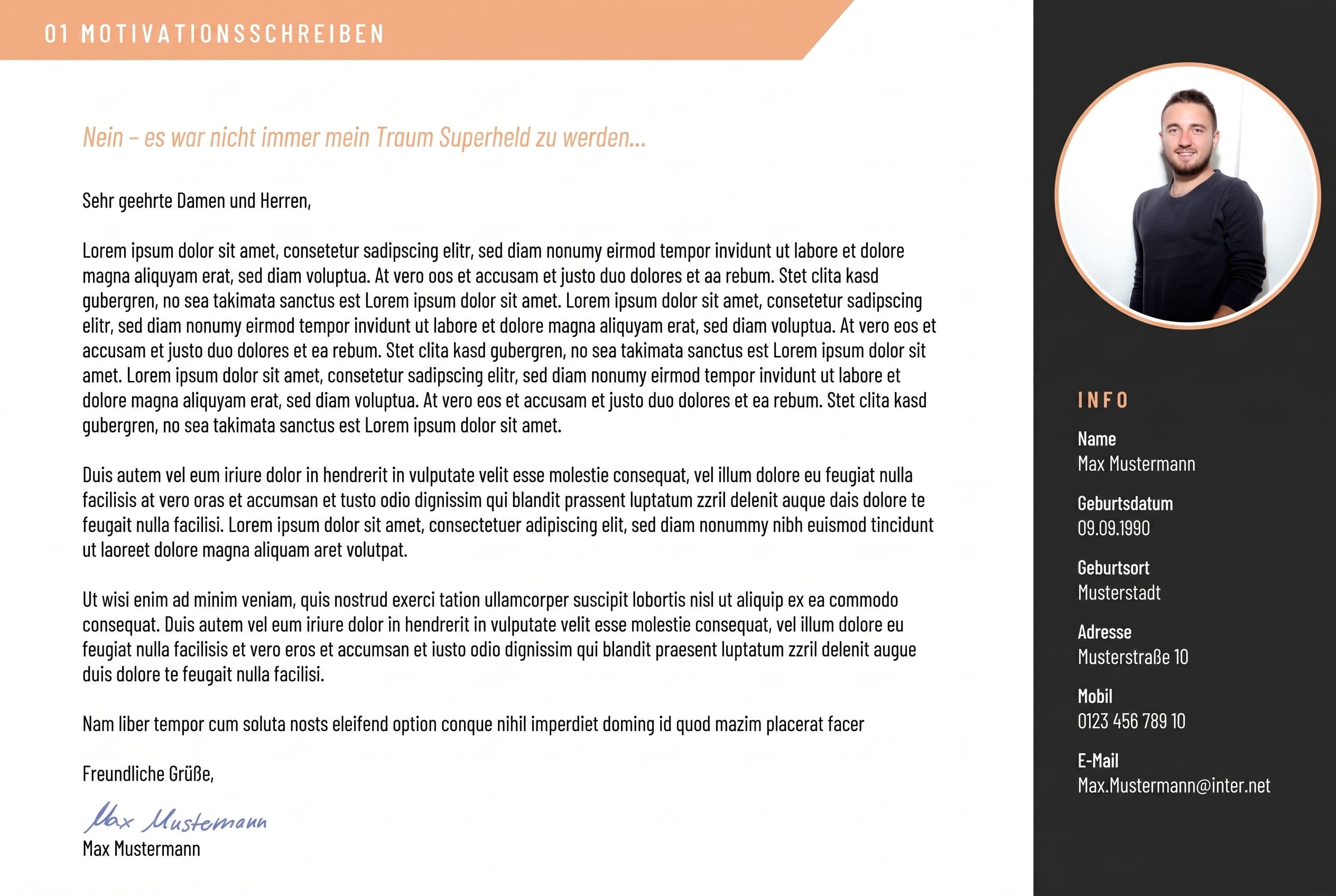
After the cover sheet comes the cover letter or letter of motivation. Depending on the company's requirements, you shouldn't go too far at this point. State clearly why you want this position and why you should be considered for the position.
A blessing and a curse with a PowerPoint application is that you can't write anything for yourself.
The format does not allow for filler words or phrases. Use the space to clearly demonstrate your skills!
The CV
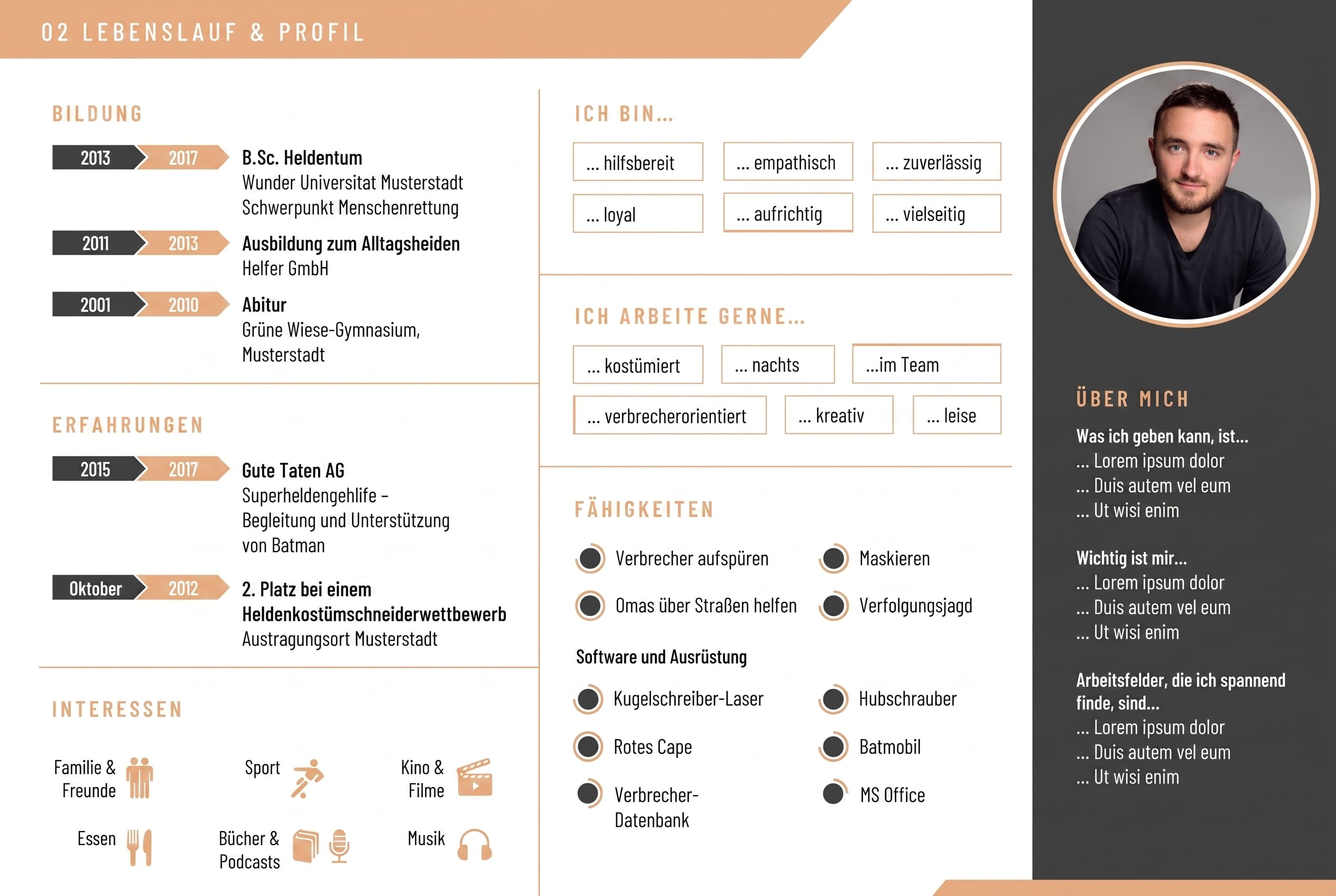
All relevant information such as school education and professional career should be included in the CV. Personal interests also find space here. The art is to present the tabular CV in a visually appealing way. Since the CV should not extend over several slides, one of the central challenges is to identify the essential aspects and prepare them graphically.
For example, skills in languages or software can be presented as bar charts instead of using phrases such as “business fluent” or “fluent in speech and writing”. Interests can be visualized in the form of icons or pictograms. In our example, the applicant used additional uniform design features. Personal information such as areas of expertise or special skills are listed on the right-hand side along with an individual application photo.
With all the information, it is important to present it and not overload the slides. That's why three subtle colors were used in this example. Colors can also be used very well to categorize into different areas such as CV or work samples. However, there shouldn't be more than three in total.
The portfolio
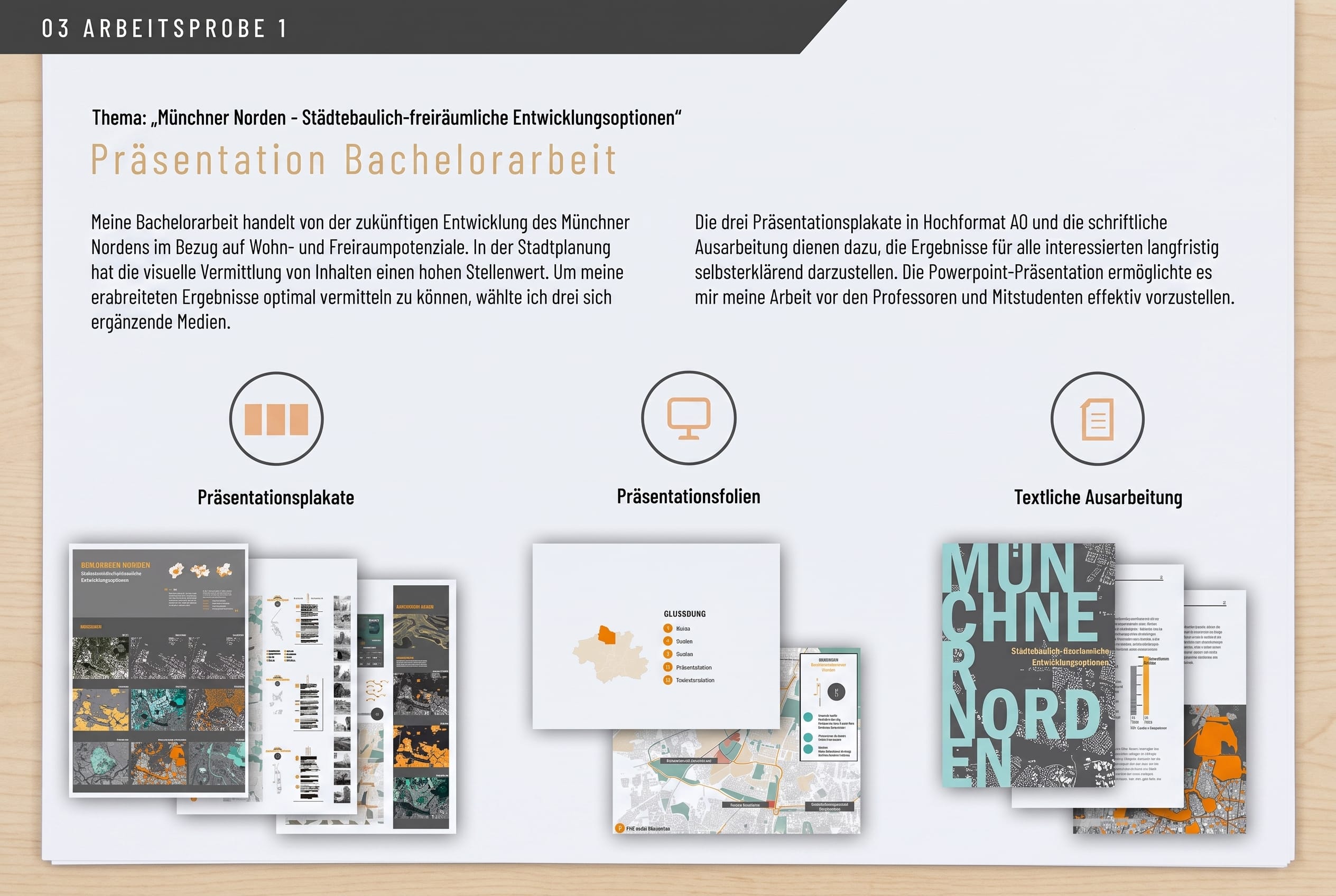
Especially in the creative industry, it is a good idea to include work samples from your own projects, sketches, etc. in your application. However, these are often desired or required anyway. With a small but fine selection you can show your experiences and talents and thus go into more detail about your personal successes.
Typography and the right format
Even though PowerPoint offers numerous design options, the motto “less is more” also applies here. It is therefore advisable to use a simple and, above all, easy-to-read font and to only use this one throughout the entire PowerPoint.
For the font size, you should choose a number between 11 and 14 to ensure easy reading.
A little tip: Use dark font on a light background. HR managers often print out applications and don't want to use so much toner 😉
And how do I export my application now, for example to...
Upload https://i‑pointing.com/de/karriere/to be able to?
Since the formatting is not always applied to different PowerPoint versions, you should always send an application as a PDF. Instead of sending via email, presentations can also be uploaded to Slideshare and shared via social networks such as Xing or LinkedIn.
GOOD SUCCESS!

:quality(80):format(webp))
:quality(80):format(webp))